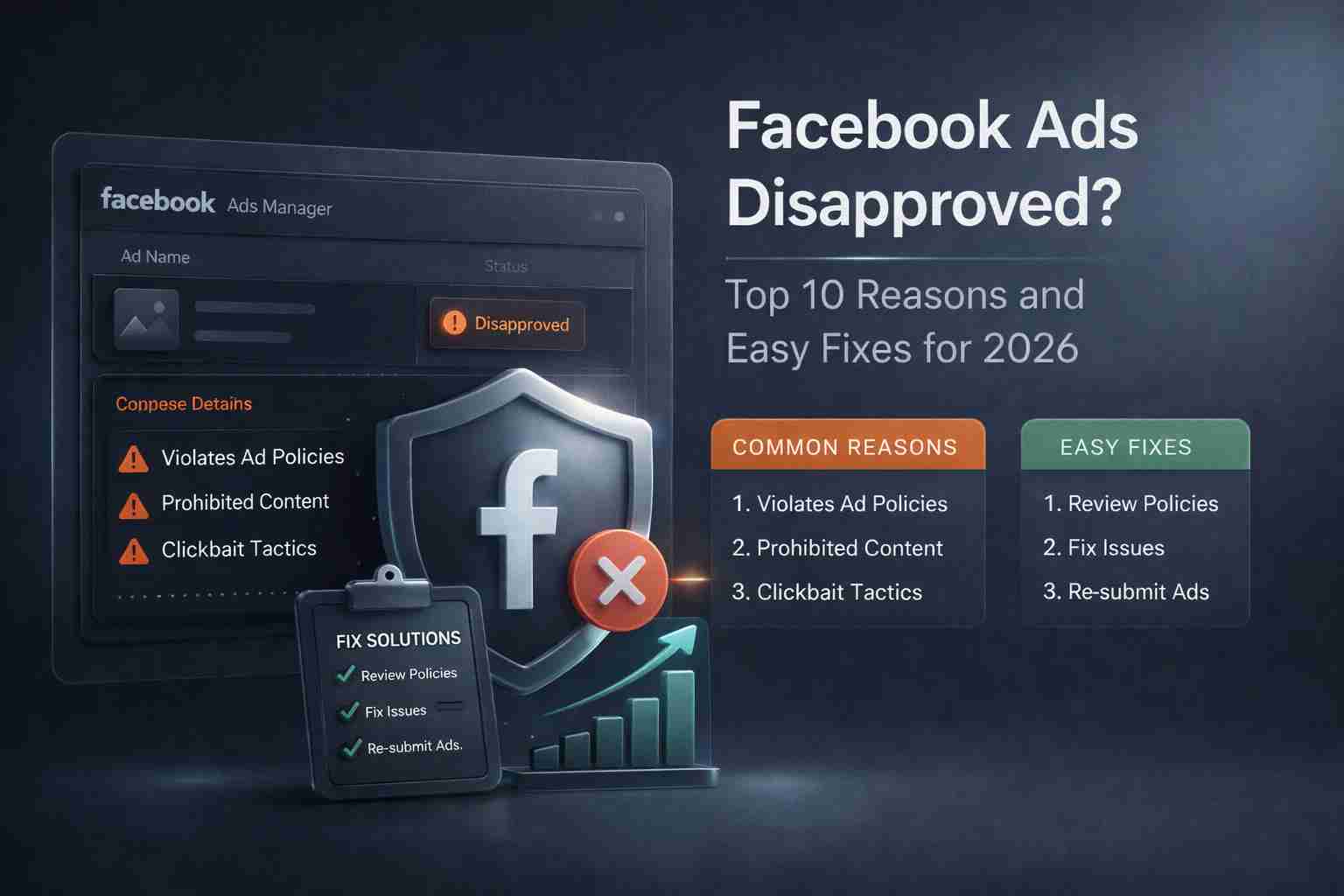
Facebook advertising is one of the fastest ways to reach targeted users, but Facebook ads disapproved is one of the most common problems advertisers face today. If your Facebook ads are disapproved again and again, you are not alone. In 2026, Meta has tightened its automated and manual review systems, making ad approvals more difficult than before.
This article explains why Facebook ads get disapproved, how Meta’s automated review works, and easy fixes you can apply immediately. The goal is simple: help you get your ads approved and keep your account safe.
Top 10 Reasons Facebook Ads Get Disapproved
Before fixing the issue, it’s important to understand how Facebook reviews ads.
Facebook uses automated bots, AI systems, and manual reviewers to check:
- Ad copy and headlines
- Images and videos
- Landing pages
- Business history and account behavior
If anything violates Meta’s advertising policies and community standards, the ad gets rejected even if it looks fine to you.
1. Violation of Meta Advertising Policies
One of the biggest reasons Facebook ads get disapproved is not following Meta’s advertising policies. Many advertisers skip reading the rules and unknowingly promote restricted content. Ads related to crypto, healthcare, finance, dating, weight loss, or adult products face extra checks. Even a small policy mismatch can cause rejection.
Meta reviews both the ad creative and the landing page. If your page promises fast money, unrealistic health results, or misleading claims, the ad is likely to be disapproved. Policy updates happen frequently, so an ad that worked last year may fail today.
Easy fix:
Always review Meta’s advertising policy before launching ads. Remove exaggerated claims, avoid sensitive wording, and keep your landing page aligned with your ad content.
2. Misleading or Exaggerated Claims
Facebook strictly blocks ads that overpromise results. Claims like “Guaranteed profit,” “Lose 10 kg in 7 days,” or “Earn daily income without work” trigger instant rejection. Even indirect claims can flag Meta’s automated system.
In 2026, Meta’s AI scans text, images, and even background elements to detect misleading messages. If your ad suggests outcomes that cannot be proven, it may be disapproved without manual review.
Easy fix:
Use realistic, honest language. Replace promises with informational wording. Add disclaimers where needed and avoid absolute guarantees.
3. Low-Quality or Sensational Creatives
Ads with blurry images, shocking visuals, aggressive headlines, or excessive symbols often fail approval. Facebook wants ads that feel natural and safe for users. Overuse of red arrows, fake buttons, or dramatic before-after images can trigger disapproval.
Meta’s system also detects reused creatives from previously banned ads, which increases risk.
Easy fix:
Use clean visuals, readable text, and neutral colors. Design ads that look informative rather than pushy. Test multiple creatives instead of repeating the same one.
4. Landing Page Mismatch
If your ad talks about one thing and your landing page shows something else, Facebook will disapprove it. Meta checks for message consistency between the ad and destination page.
For example, if your ad promotes a free guide but the page pushes a paid offer immediately, the ad may be rejected. Hidden redirects or auto-forwarding pages also raise red flags.
Easy fix:
Make sure your landing page clearly matches your ad message. Keep navigation simple and avoid sudden redirects.
5. Restricted or Sensitive Niches
Some niches face higher rejection rates, including crypto, healthcare, supplements, finance, and adult products. Even when content is legal, Meta applies stricter review standards to protect users.
Ads in these niches often get flagged even if they follow general rules.
Easy fix:
Use compliant wording, avoid direct sales pressure, and consider advanced traffic filtering or cloaking solutions that show compliant pages to reviewers while protecting your campaigns.
6. Issues with Automated Reviews
In 2026, most Facebook ads are reviewed automatically. Meta’s AI decides within minutes whether an ad follows policy. This system is fast but not perfect and can wrongly disapprove ads.
Once flagged, your ad history affects future approvals. Repeated disapprovals can reduce trust score.
Easy fix: If your ad is wrongly rejected, request a review. Do not resubmit the same ad without changes. Small edits can help reset automated checks.
7. Poor Account Trust or New Ad Accounts
New ad accounts or accounts with past violations face more scrutiny. If your account lacks spending history or has previous rejections, Meta’s system becomes stricter.
Even compliant ads may fail due to low trust signals.
Easy fix: Warm up accounts slowly. Start with low budgets, safe content, and approved niches. Avoid sudden spending spikes.
8. Use of Prohibited Words and Triggers
Certain words automatically trigger rejection, especially in finance, health, and adult niches. Even neutral ads can be flagged due to specific phrases.
Meta also checks image text and hidden elements.
Easy fix: Replace risky words with neutral alternatives. Review both text and visuals carefully before publishing.
9. Repeated Edits After Disapproval
Constantly editing and resubmitting the same ad after rejection can worsen the situation. Meta may view this as policy avoidance.
Easy fix: Pause the ad, review policies, and create a new compliant version instead of editing repeatedly.
10. Ignoring Community Standards
Meta ads must follow community standards, not just advertising rules. Content that seems offensive, discriminatory, or unsafe may be disapproved even if the product is allowed.
Easy fix: Ensure your ad respects all audiences. Avoid targeting or messaging that could be considered sensitive or harmful.
Best Practices to Get Facebook Ads Approved in 2026
Simple Steps to Avoid Facebook Ad Rejection:
- Follow Meta’s advertising policies closely
- Use honest messaging
- Match ads with landing pages
- Avoid aggressive claims
- Build account trust gradually
YouTube Ads Constantly Disapproved: Causes and 100% Fixes
Frequently Asked Questions
- Why are my Facebook ads disapproved again and again?
Repeated disapprovals usually happen due to policy violations, landing page issues, or low account trust. Review feedback carefully and fix one issue at a time.
- Can Facebook ads be approved after rejection?
Yes. You can edit the ad, fix the issue, and resubmit. In many cases, ads get approved after small changes.
3 Does Facebook use bots to review ads?
Yes. Facebook relies heavily on automated systems. Human review usually happens only after appeal.
4 How long does Facebook ad review take in 2026?
Most ads are reviewed within a few hours, but some may take up to 24 hours.
5 Can restricted niche ads ever get approved?
Yes, but they require compliant messaging, clean landing pages, and careful setup.